
Lighthouse tells you what's wrong with your website. 436.io guides you through solutions.
Scan a whole site, by URL or by uploading its sitemap, track how it performs over time and get a short, ranked list of what to fix first, instead of hundreds of individual PageSpeed results with no way to tell what actually matters.
You don't need more PageSpeed results. You need to know what to fix first.
436.io scans every page on a site and looks across all of them at once, instead of leaving you to read each report on its own.
Two ways to find your pages
Scan a website URL and 436.io discovers its sitemap automatically or upload a sitemap.xml directly. Sitemap indexes and nested child sitemaps are followed for you.
One report, not hundreds
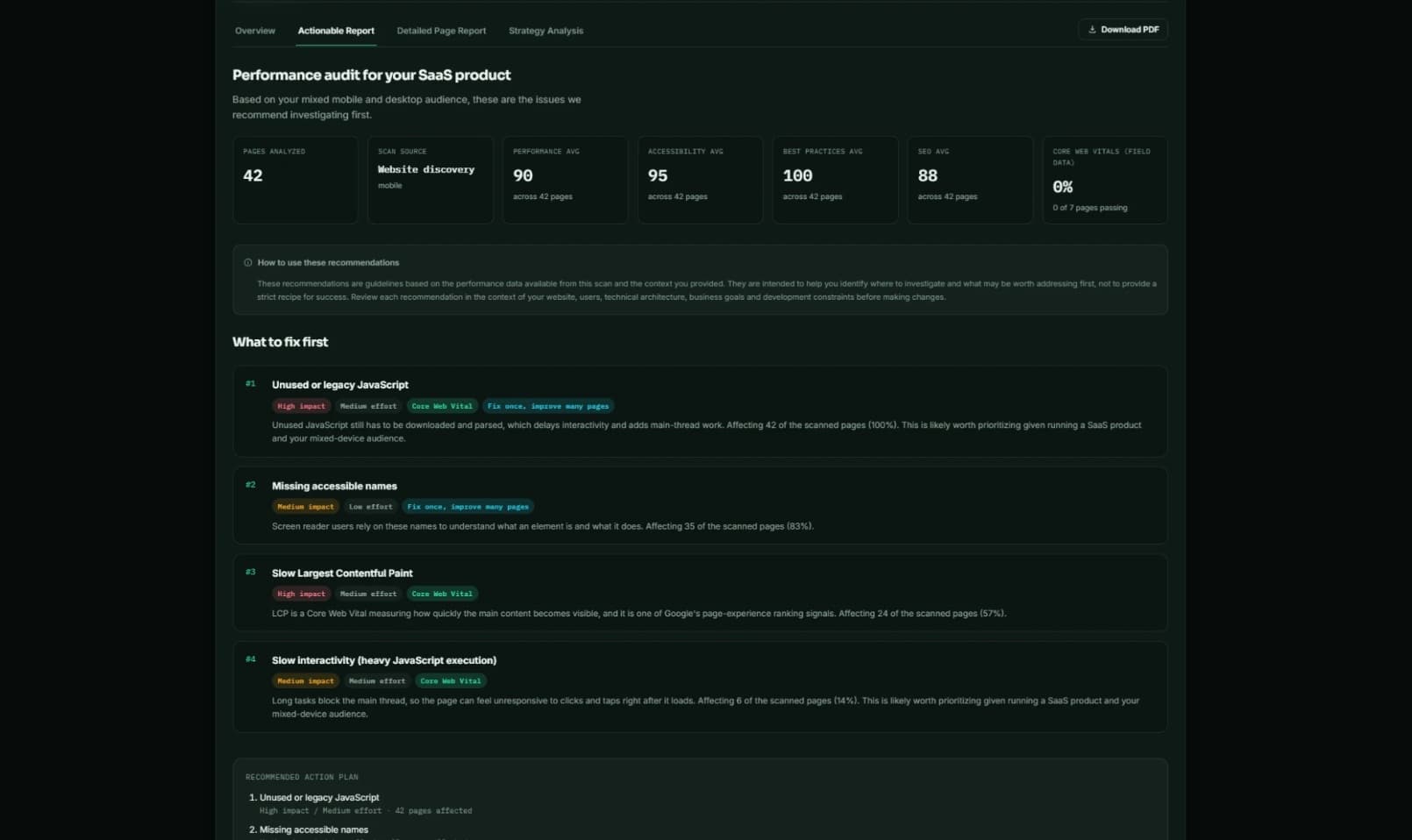
Recurring problems across many pages become a single ranked finding, with impact, effort and the number of pages it affects, instead of one repeated warning per page.
Deterministic, not AI-guessed
Findings, priority and recommendations are computed directly from real Lighthouse audit data. The same scan always produces the same report.
See progress, not just a snapshot
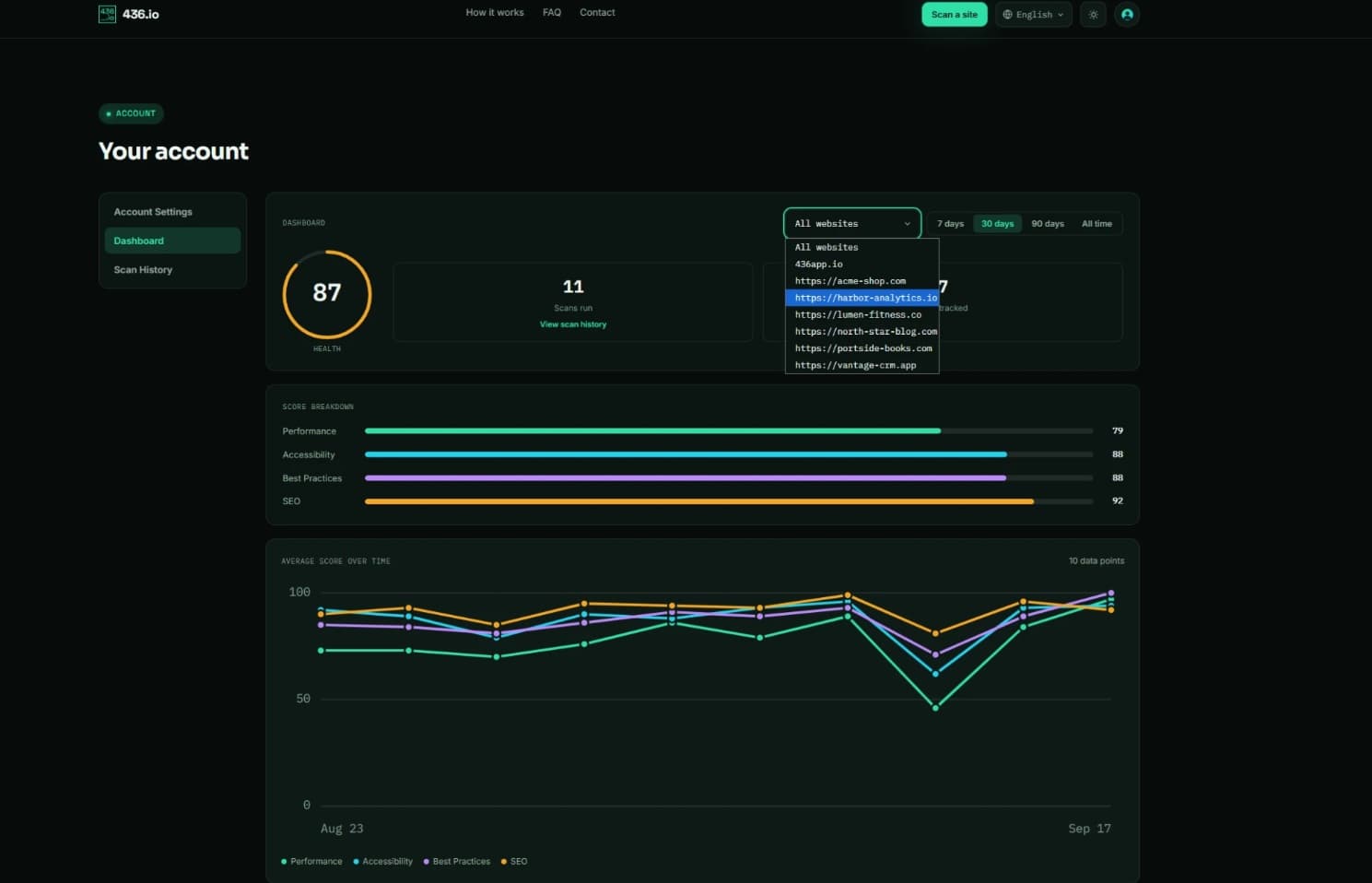
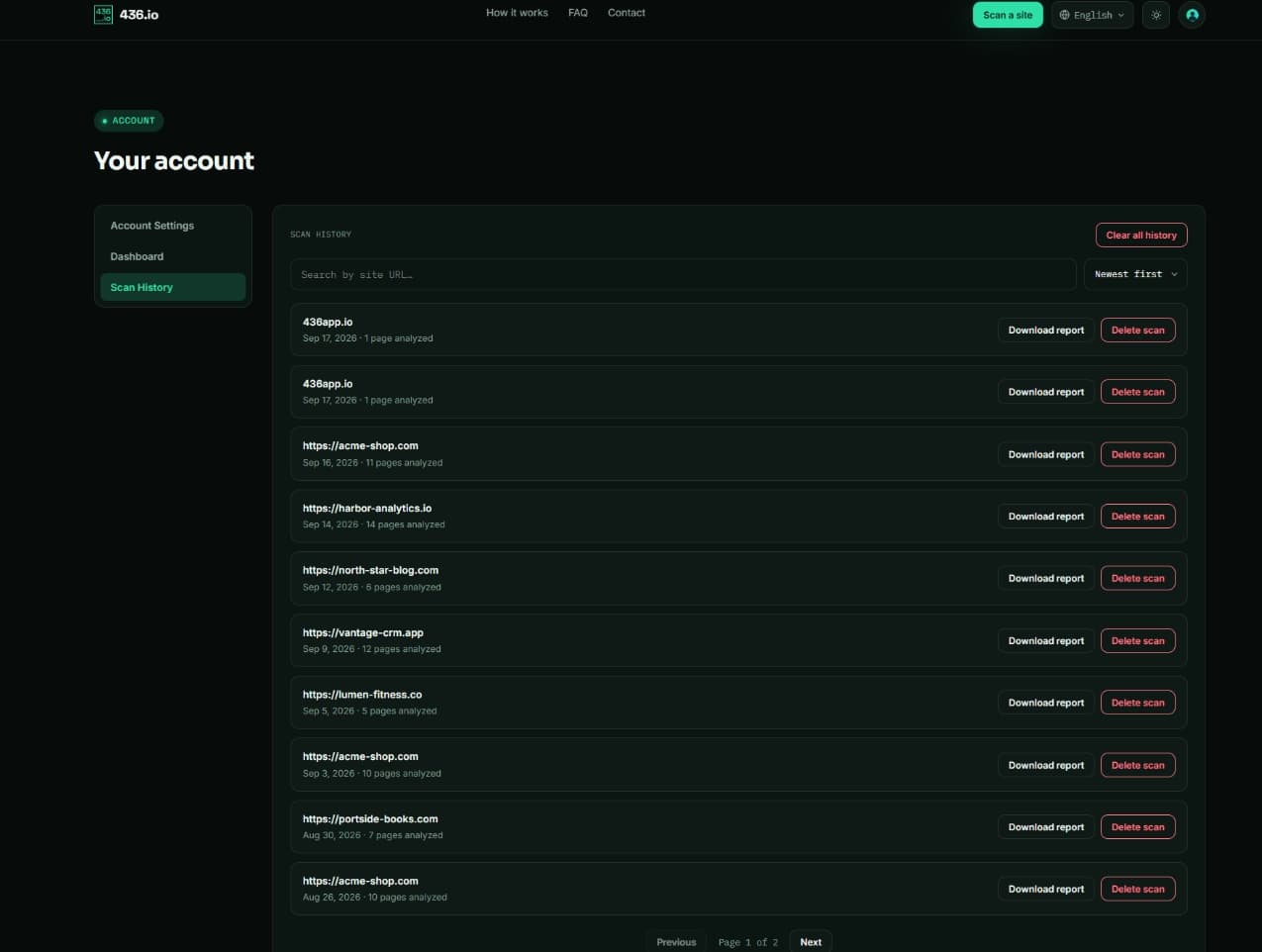
Every scan is saved automatically. Scan the same site again and see what's new, what's resolved and how each score moved. There's also an account dashboard with your overall health score and trend over time.
Three steps, then you know what to work on first.
No dashboards to configure and nothing to install. Point 436.io at a URL or sitemap and everything else happens automatically, from finding every page through to a report ranked by what will actually move the needle.
Point 436.io at a site
Enter a website address and 436.io looks for its sitemap automatically or upload a sitemap.xml (or sitemap index) file directly.
Review the page list, then scan
See exactly how many valid pages were found before anything runs, choose which categories and device types to check and start the scan.
Get a ranked report
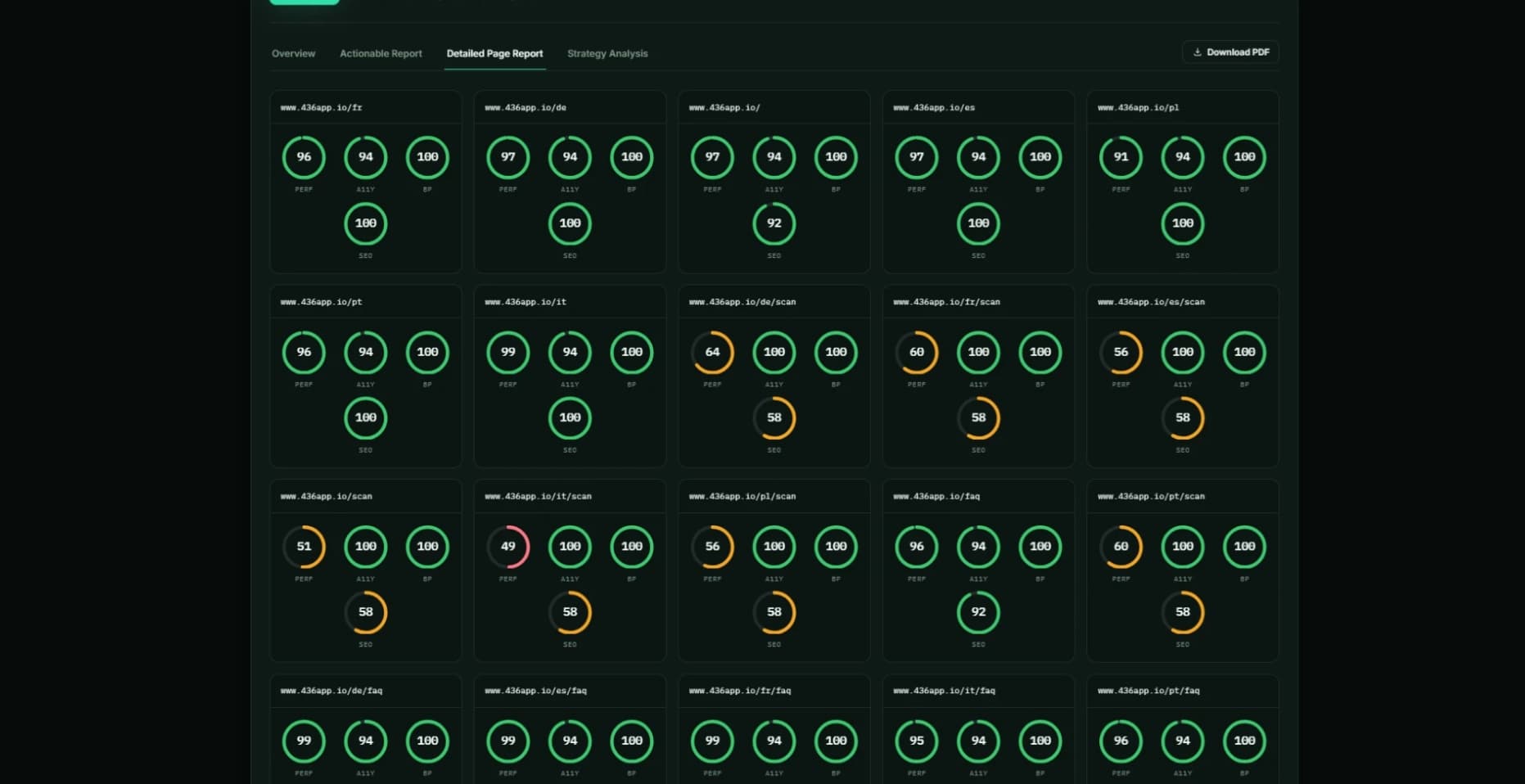
436.io groups recurring problems across every page into a short, prioritized list, with detailed per-page results still one click away.
A look inside 436.io
From your first scan to tracking progress over time, here's what it actually looks like.